
Unit manager quick start
Rest Easy · Fictional training screenshots · Revised 1 November 2026
1. Confirm access and the daily routine
- Sign in with your own account.
- Confirm your assigned units and Control Points. Ask your business administrator to correct missing assignments.
- Review opening hours, expected-check schedules and the local safety process.
- Start with outstanding issues and unconfigured rooms. Do not interpret missing metrics as zero.
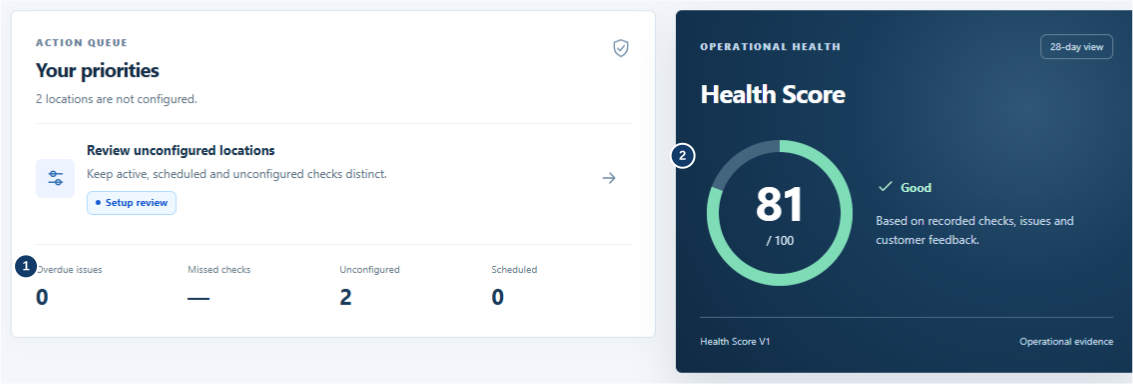
- Read misses, overdue issues and unconfigured rooms separately.
- Read the Health Score with its available evidence.
2. Respond to problems
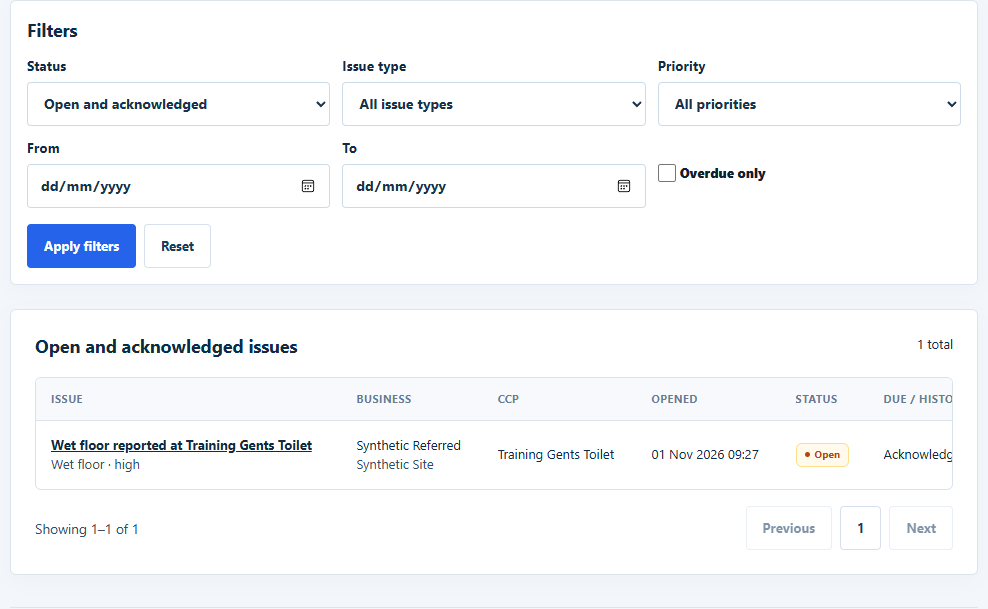
- Open Open Issues and confirm the room and priority.
- Inspect the actual condition and make the area safe.
- Acknowledge when taking responsibility; resolve only after corrective work.
- Check the saved status. Acknowledgement and resolution have separate timestamps.
- Escalate maintenance or recurring problems using your business procedure. Customer reports are not independently verified inspections.
3. Close the day
- Review saved checks against expected windows.
- Investigate genuine misses; a later recovery does not erase history.
- Use authorised reports/history to review unresolved work.
- If a temporary missed-check notification pause is justified, record its reason and expiry. It does not suppress customer issues or remove expected checks.
- Brief the next team on outstanding physical work and notification/device failures.
For role changes or missing access, contact your business administrator. For urgent hazards, act on site first.
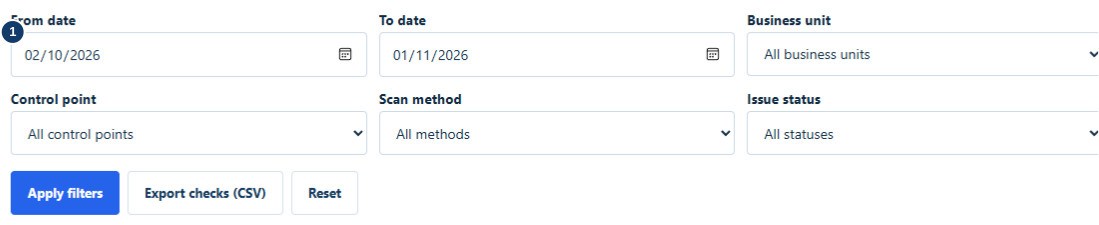
- Choose dates and permitted locations, then apply filters.
Full procedures: Customer handbook.